Video Sharing for Enhanced Operational Awareness
Lorem ipsum dolor sit amet, consectetur adipiscing elit, sed do eiusmod tempor incididunt ut labore et dolore magna aliqua. Ut enim ad minim veniam, quis nostrud exercitation ullamco laboris nisi ut aliquip ex ea commodo consequat.
01
Introduction
The Problem
Currently, when an incident is taking place, it is difficult if not impossible to communicate to all responders what is happening in real time.
Most public safety organizations have cameras on their cars, lapel cameras, as well as helicopters, planes, and drones. The problem is that it is difficult to share these live streams to respondents in the field in real time.
That is until now.
The Solution
We offer a solution that once an incident takes place, a live stream can quickly be sent to responders for viewing on their phones, laptops, desktops, etc. This makes it easy to communicate with all responders in real time.

02
How RTS Live Stream works
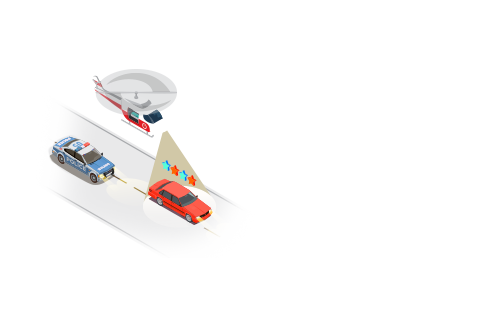
01. Incident Takes Place
Lorem ipsum dolor sit amet, consectetur adipiscing elit, sed do eiusmod tempor incididunt ut labore et dolore magna aliqua.

02. Text is sent
Lorem ipsum dolor sit amet, consectetur adipiscing elit, sed do eiusmod tempor incididunt ut labore et dolore magna aliqua.
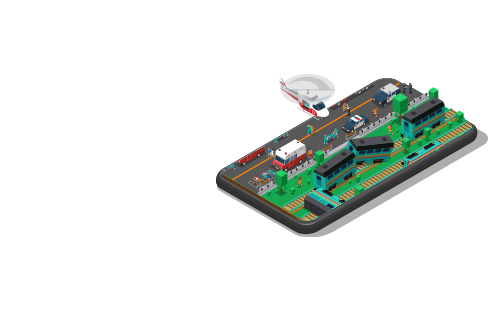
03. Monitor Incident
Lorem ipsum dolor sit amet, consectetur adipiscing elit, sed do eiusmod tempor incididunt ut labore et dolore magna aliqua.
03
Streaming Features
VIP Groups
These are the people assigned to manage the system and monitor incidents in real time.
Security
Live Steams are sent by text/email protected by SSL.
Integrates
Steaming integrate with your current infrastructure.
Flexible API
API available for technical flexibility
03
Streaming Features
Your content goes here. Edit or remove this text inline or in the module Content settings. You can also style every aspect of this content in the module Design settings and even apply custom CSS to this text in the module Advanced settings.
Sreen Shot of Application
Your content goes here. Edit or remove this text inline or in the module Content settings. You can also style every aspect of this content in the module Design settings and even apply custom CSS to this text in the module Advanced settings.